
12 Types of Servers Every IT Professional Should Know
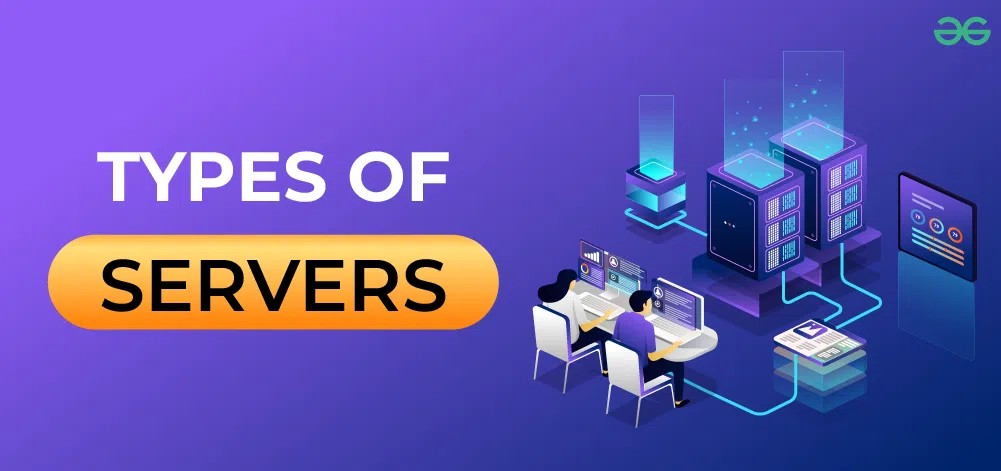
Servers are the backbone of virtually every digital service we use, but "server" isn't a single thing — it's a role a machine plays. The same physical or virtual machine can even take on several of these roles at once. Here's a breakdown of 12 common server types, what they do, and where you'll typically find them.
Servers are the backbone of virtually every digital service we use, but "server" isn't a single thing — it's a role a machine plays. The same physical or virtual machine can even take on several of these roles at once. Here's a breakdown of 12 common server types, what they do, and where you'll typically find them.
1. Web Server
A web server's job is to host websites and web applications and deliver them to visitors' browsers. When you type a URL into your browser, a web server is what receives that request and sends back the HTML, CSS, JavaScript, and other assets that make up the page. Common examples include Nginx, Apache HTTP Server, and Microsoft IIS.
2. Application Server
While a web server handles content delivery, an application server runs the backend logic behind an app — processing business rules, handling transactions, and executing the code that powers dynamic features. Web servers and application servers often work together: the web server handles the request, and the application server does the heavy lifting behind the scenes.
3. Database Server
A database server stores, organizes, and retrieves data on request. It handles queries from applications, enforces data integrity, and manages concurrent access from multiple users or services. Examples include Microsoft SQL Server, MySQL, PostgreSQL, and Oracle Database.
4. File Server
A file server provides centralized storage that multiple users or devices can access over a network. Rather than storing files locally on individual machines, teams save and retrieve shared documents, media, and data from one central location — simplifying collaboration, backup, and access control.
5. DNS Server
The Domain Name System (DNS) server translates human-readable domain names (like example.com) into the numeric IP addresses computers actually use to communicate. Without DNS, you'd have to memorize an IP address for every site you wanted to visit. DNS servers are essential infrastructure for basically all internet traffic.
6. Mail Server
A mail server handles the sending, receiving, and storage of email. It manages protocols like SMTP (for sending mail), IMAP, and POP3 (for retrieving mail), and it's what keeps your inbox in sync across devices. Examples include Microsoft Exchange and Postfix.
7. Proxy Server
A proxy server sits between clients and the wider network, relaying requests on their behalf. It can filter and cache content, enforce access policies, hide the client's real IP address for privacy, and improve performance by serving cached responses instead of repeatedly fetching the same content.
8. Directory Server
A directory server manages identity information — user accounts, groups, permissions, and organizational structure — and controls who has access to what. Microsoft Active Directory is the most widely used example, forming the backbone of authentication and access management in most corporate networks.
9. DHCP Server
A DHCP (Dynamic Host Configuration Protocol) server automatically assigns IP addresses and other network settings (subnet mask, default gateway, DNS servers) to devices as they join a network. This eliminates the need to manually configure networking on every laptop, phone, or printer that connects.
10. Backup Server
A backup server coordinates the process of copying and preserving data so it can be restored after loss, corruption, or a disaster. It typically manages backup schedules, retention policies, and recovery procedures across an organization's systems, playing a central role in business continuity and disaster recovery planning.
11. Virtualization Server
A virtualization server (or hypervisor host) runs multiple virtual machines on a single piece of physical hardware, with each VM operating as if it were an independent computer. This makes far more efficient use of hardware resources and underlies most modern data center and cloud infrastructure. Common platforms include VMware ESXi, Microsoft Hyper-V, and KVM.
12. NTP Server
An NTP (Network Time Protocol) server keeps clocks synchronized across all the devices on a network. Accurate, consistent timestamps matter more than most people realize — they're critical for security logging, authentication protocols, transaction ordering, and troubleshooting, where even small time discrepancies between systems can cause real problems.
Why This Matters
In practice, few environments run each of these as a single-purpose machine anymore — virtualization and cloud platforms mean multiple server roles often live on shared hardware or in containers. But understanding each function individually is essential for designing networks, troubleshooting issues, and knowing exactly which component to check when something goes wrong.
What's Your Reaction?
 Like
0
Like
0
 Dislike
0
Dislike
0
 Love
0
Love
0
 Funny
0
Funny
0
 Wow
0
Wow
0
 Sad
0
Sad
0
 Angry
0
Angry
0